When an older journal is found, migration starts automatically and the original data on the phone is not deleted.
Check migration progress
After updating, look for the migration banner on Play.
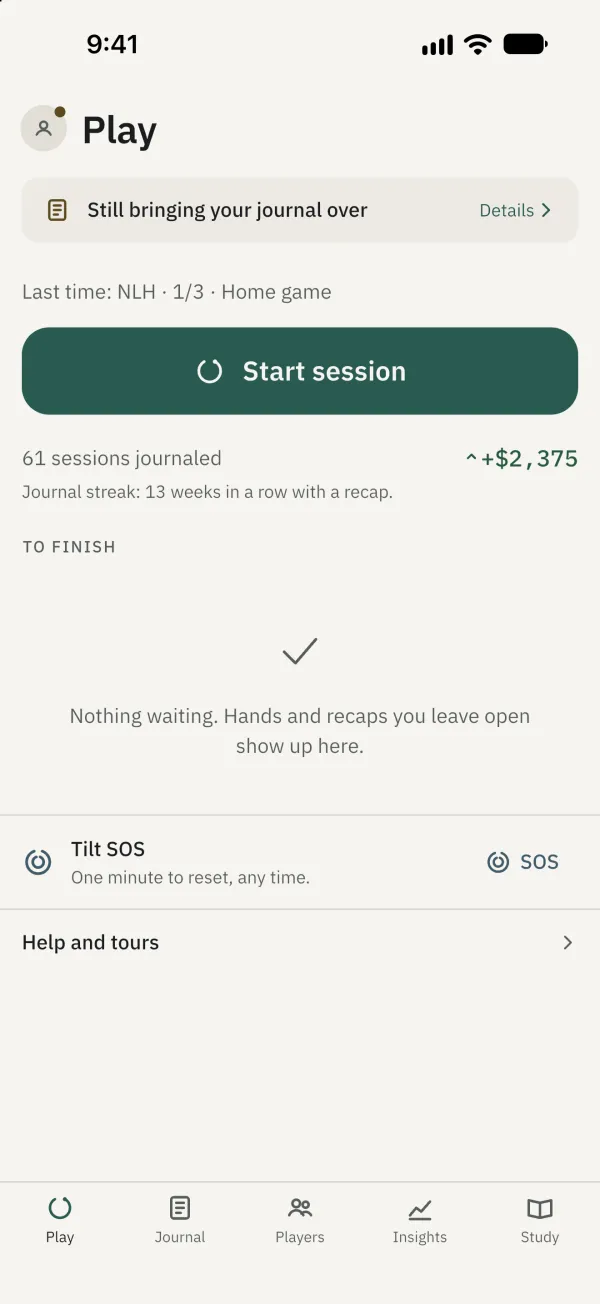
Tap Details to see progress. You can choose Continue in background.
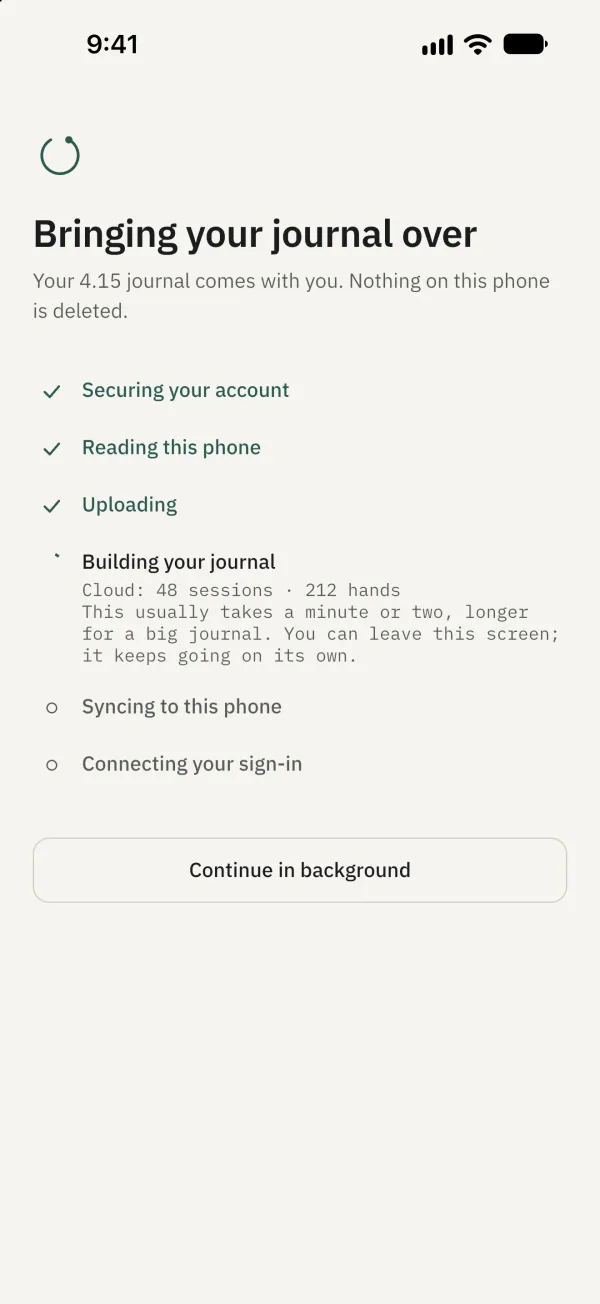
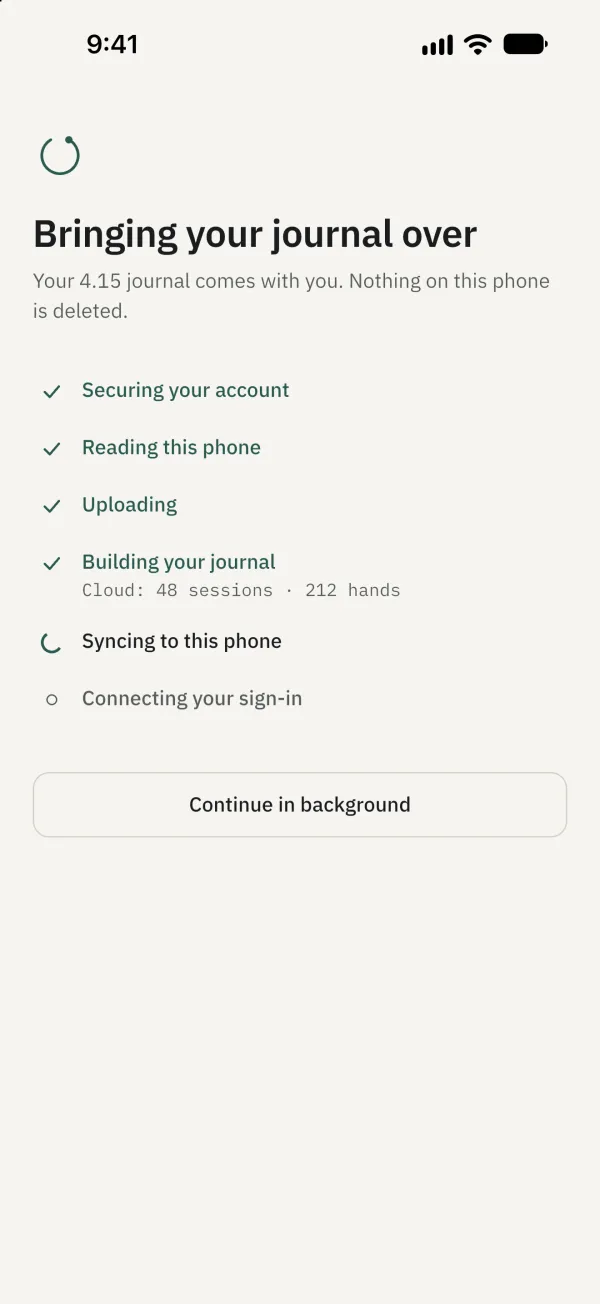
Wait as migration continues to sync to this phone.
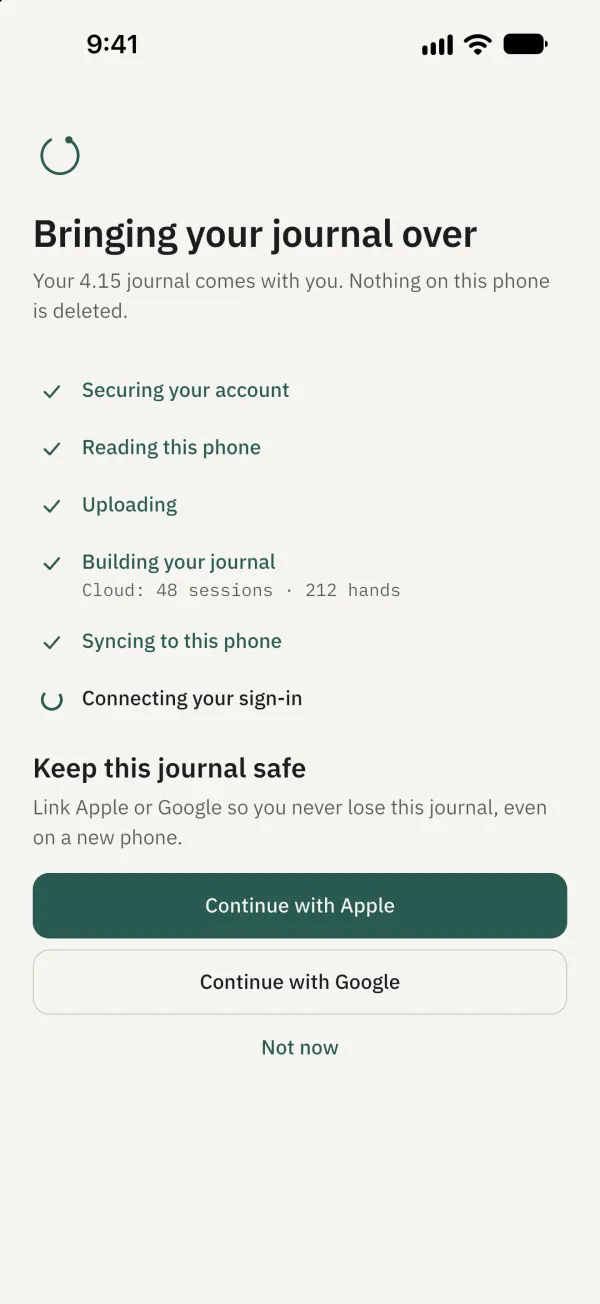
When prompted to keep the journal safe, choose Continue with Apple, Continue with Google, or Not now.
When migration finishes, check the TiltFree 4 journal status in the Sync section of account settings.
Common problems
What if migration is waiting for a connection? The data remains on the phone and migration retries when a connection returns. If Try again is offered, you can tap it too.
What if the journal belongs to another account? You can switch to that account or keep the current one; the journal remains on this phone.