Insights summarises finished sessions so you can follow your results over time.
View and filter results
Tap Insights at the bottom. Review profit, hours and hourly results, then scroll to see the chart, rates, variance and breakdowns.
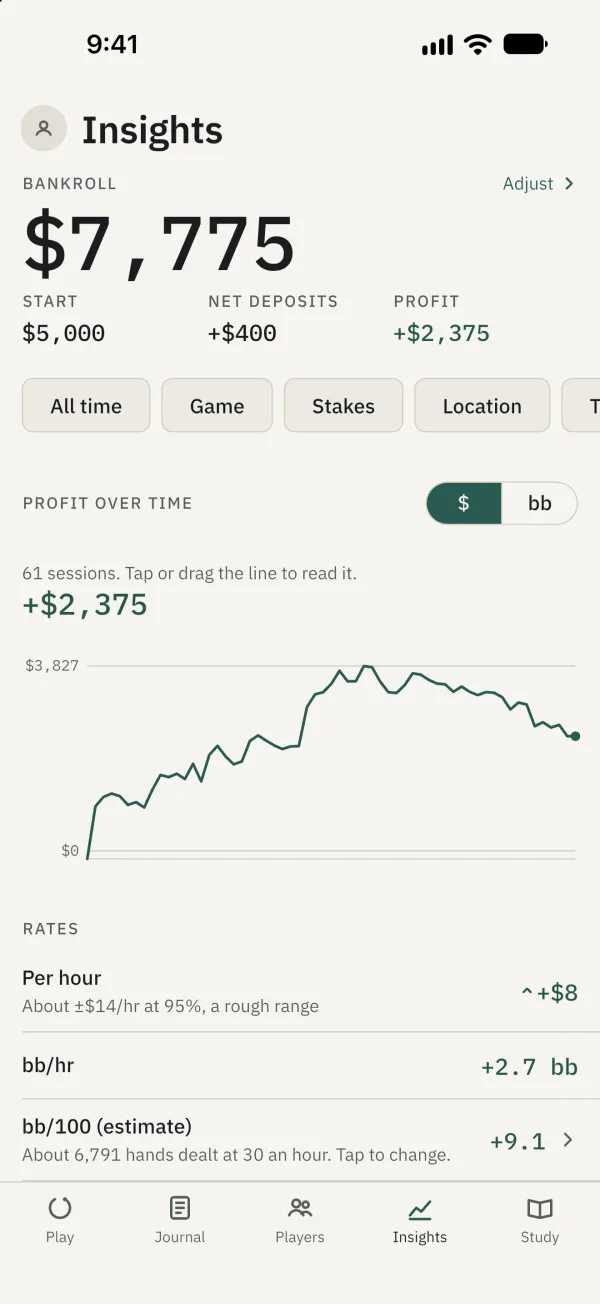
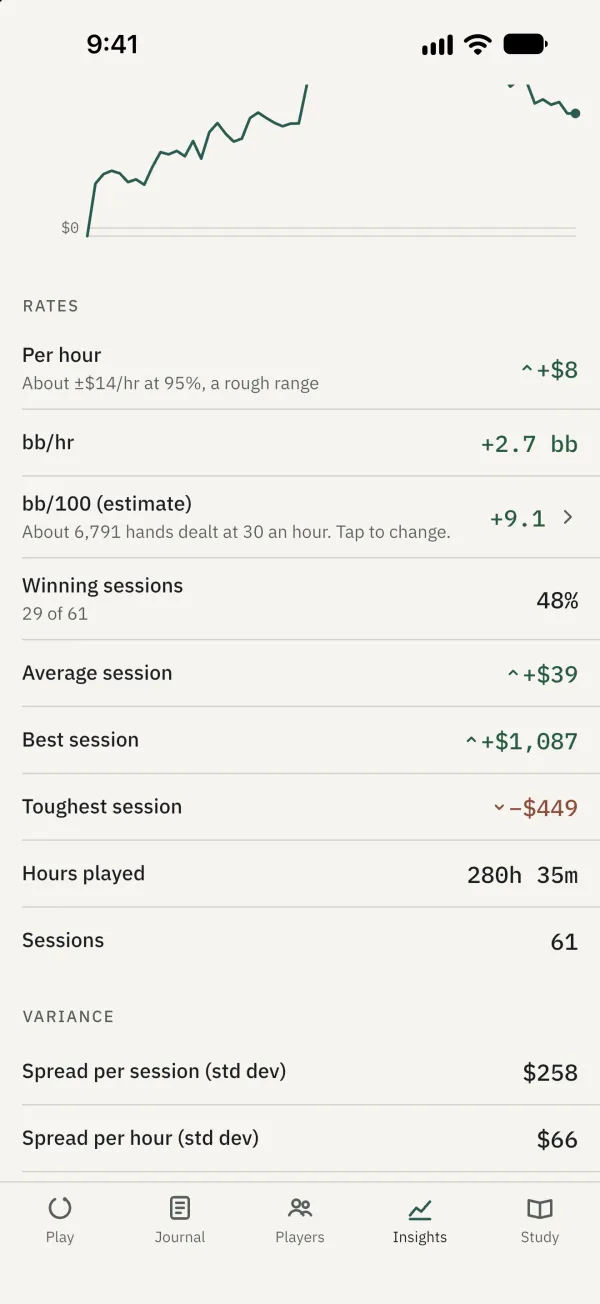
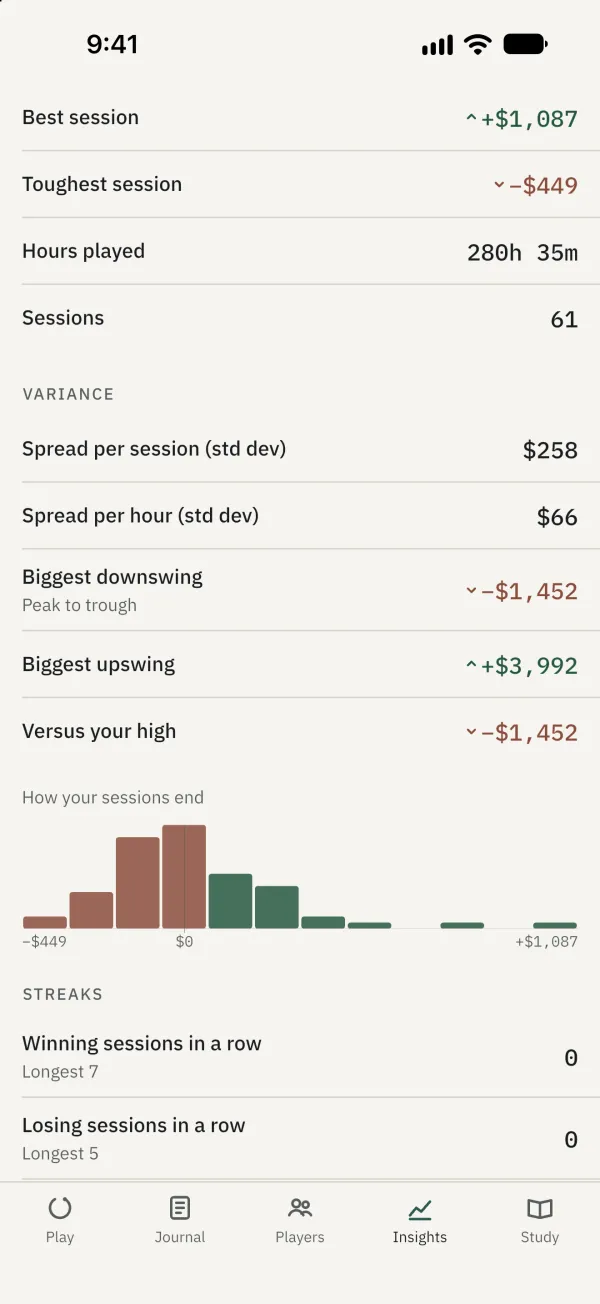
Use the filter bar to select a date range, session type or other criteria. Charts and figures follow the selection; tap Clear filters to reset it.
Tap or drag along the profit chart to read an individual session.
Manage bankroll and goals
Tap Adjust in the bankroll area to set a starting amount or record deposits and withdrawals. The starting amount is your balance before your first recorded session; recorded profit is added separately. In Goals, tap Add, choose a goal type and set its target.
Common problems
Why is there no data? Insights needs at least one finished session. Filters can also leave no matching sessions; totals never mix currencies.