Use the replay table to review the action.
Replay a hand
After recording a hand, tap Open hand to open the swipe-through feed. You can also open a hand from Journal > Hands.
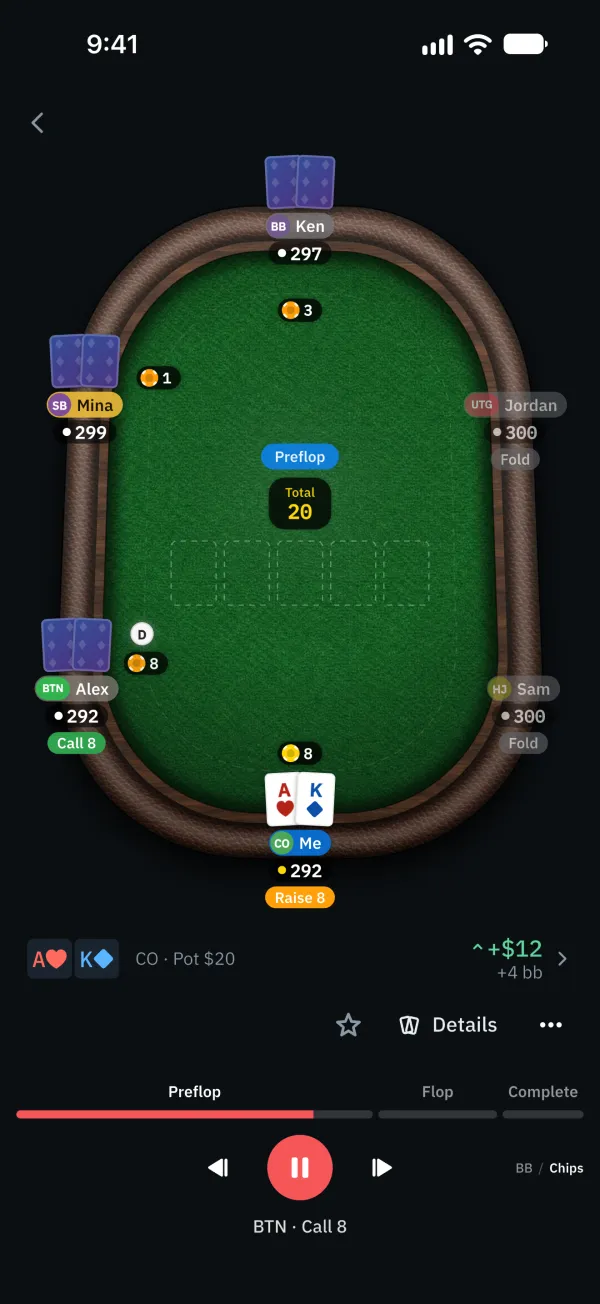
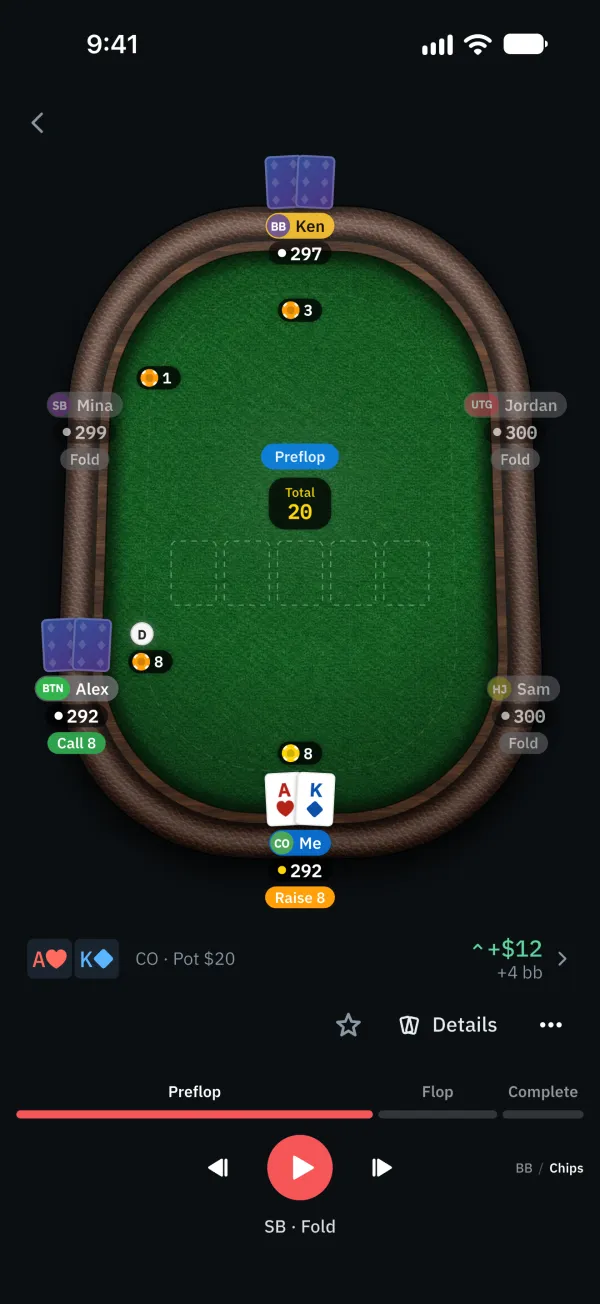
Use the playback and step controls below the table to follow the action, or use the track to jump.
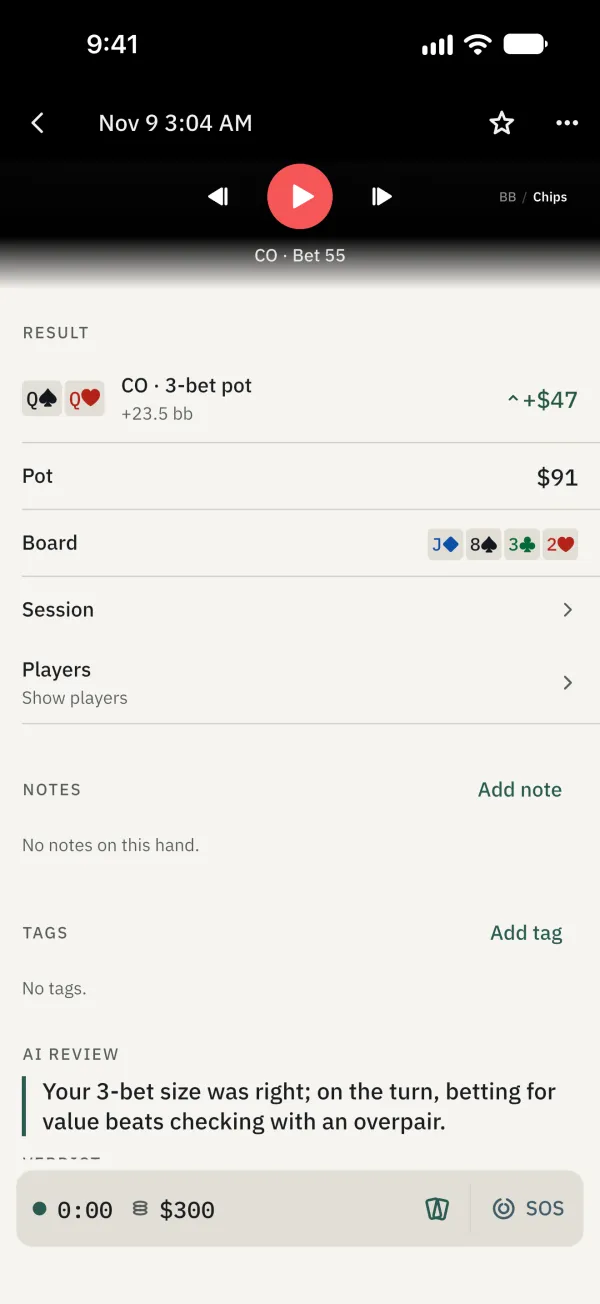
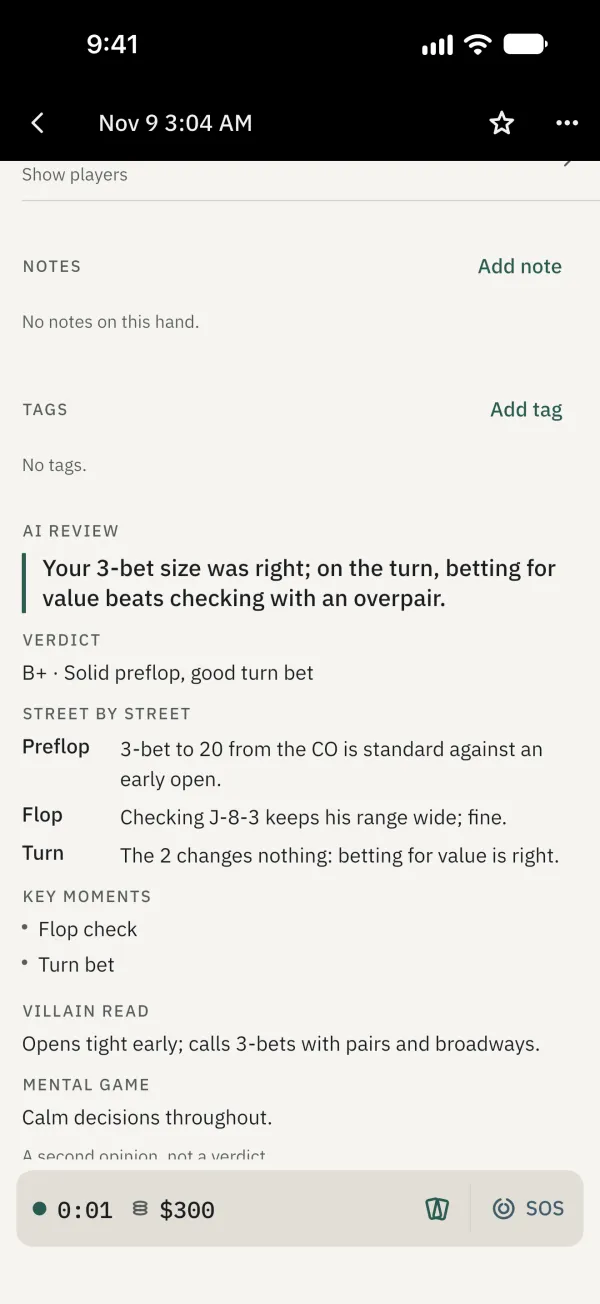
Tap Details in the feed, or open a hand from Journal > Hands, then scroll down to see the result, pot, board and other recorded information.
Common problems
Want to start from the beginning?
Use the restart or step-back control, then play the hand.