Keep track of people you play with and review your recorded hands together.
Add and view a player
Tap Players at the bottom to open the player list.
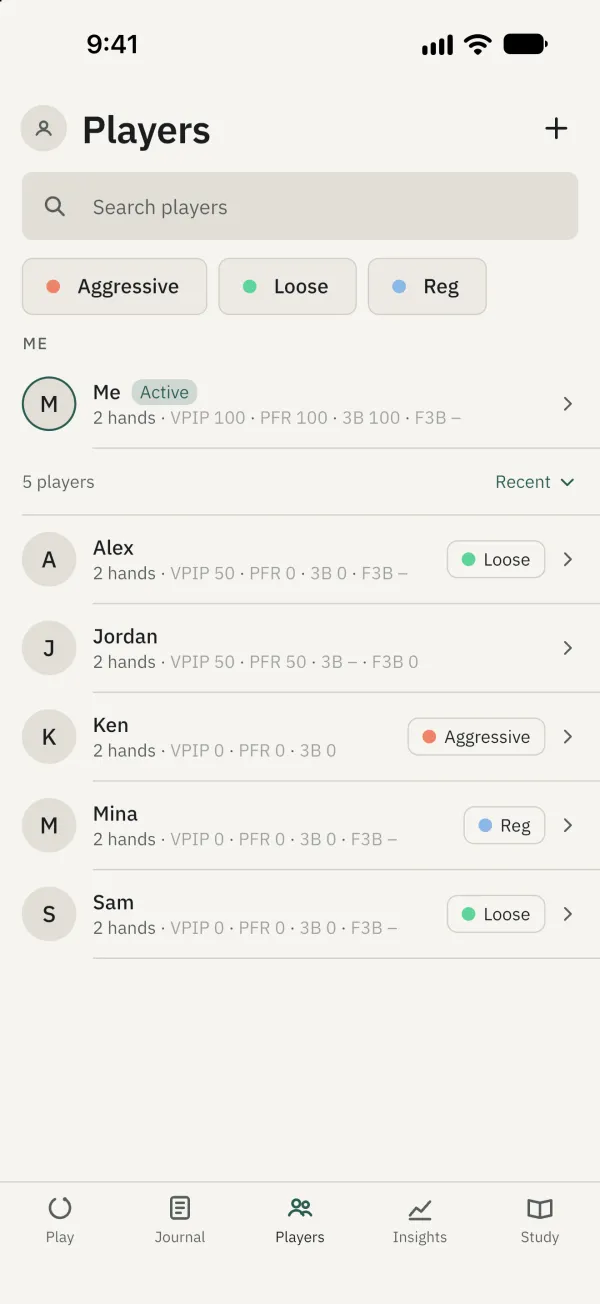
Tap the plus button, enter a name or nickname and tap Add. If the name already exists, open the existing profile or choose to add it anyway.
Search for a name and tap the player to open the profile. Scroll to see labels, notes and statistics from recorded hands together.
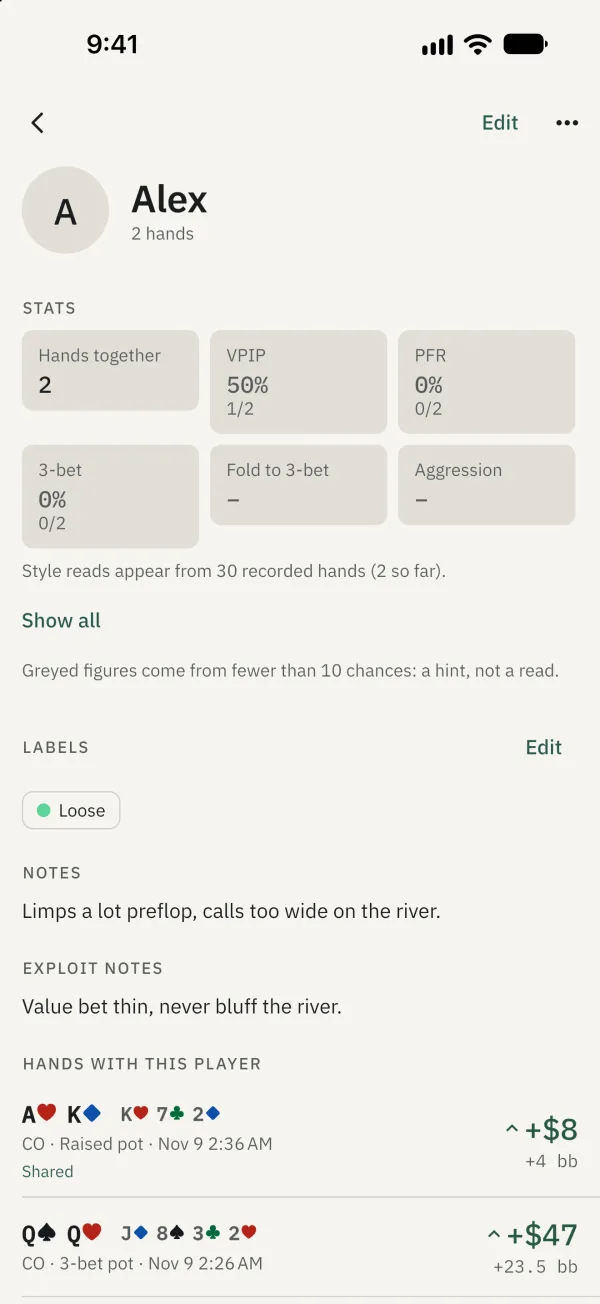
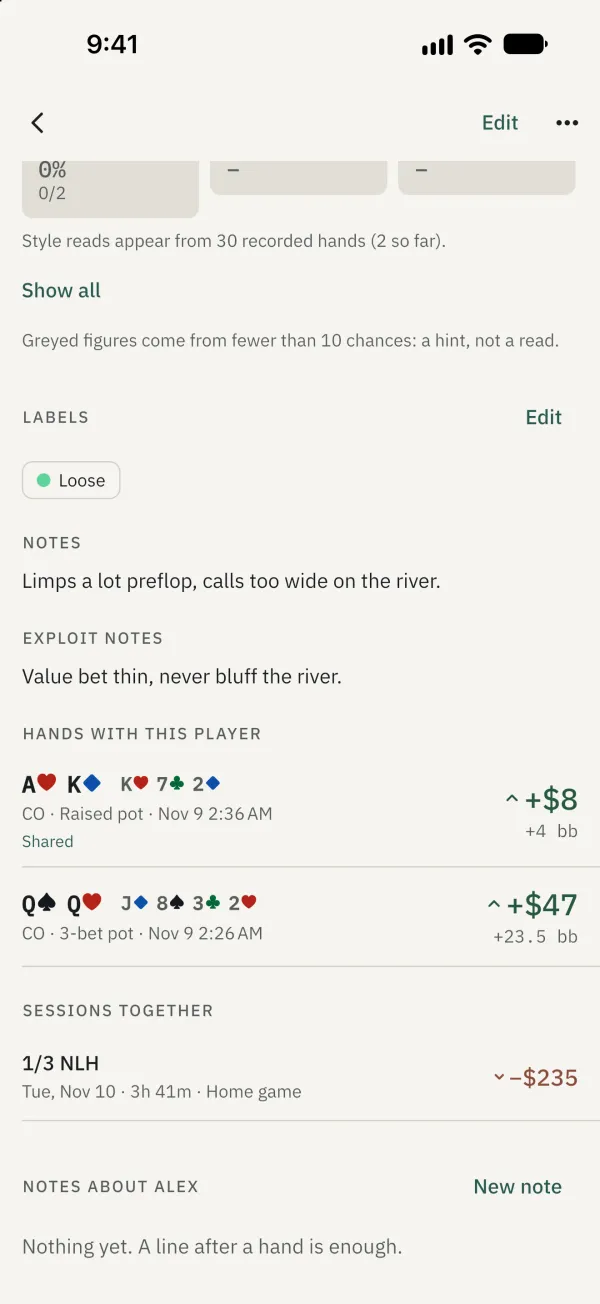
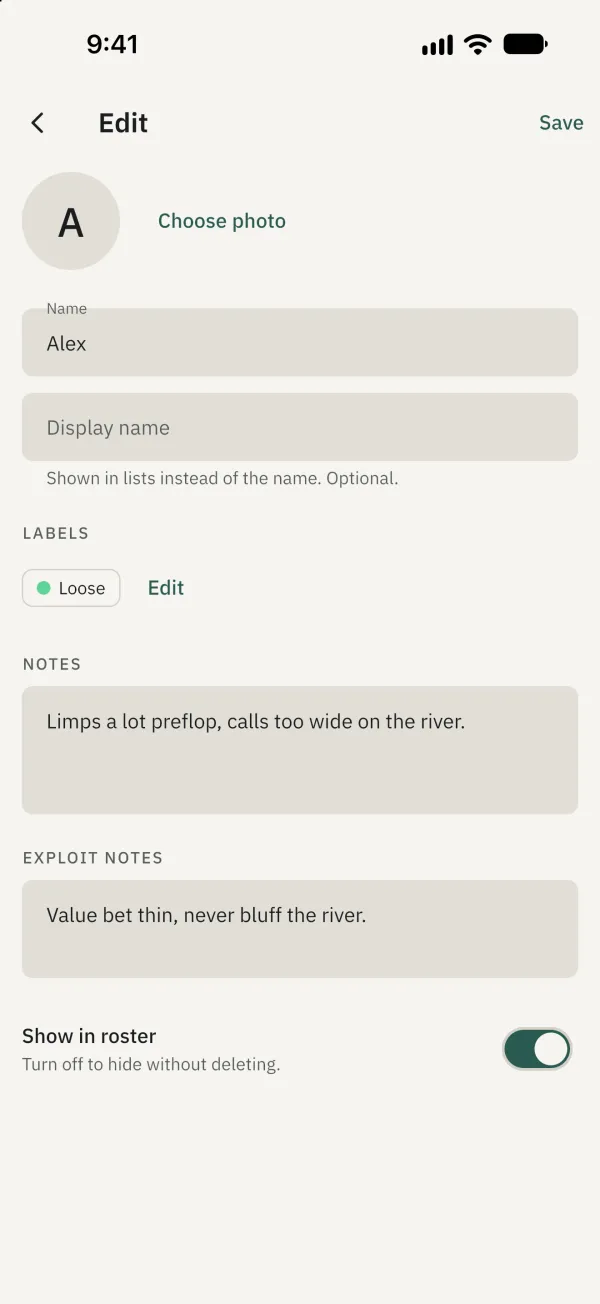
Tap Edit to change and save the profile.
Tidy the roster
On a profile, tap ⋯ to mark This is me, hide a player or merge duplicates. For a merge, select the profile to keep and confirm. Deleting a player removes the profile but keeps hands and notes, without the player link.
Common problems
Why are there no statistics? Tag the player at a seat when recording a hand. Treat figures based on a small sample as an initial hint.