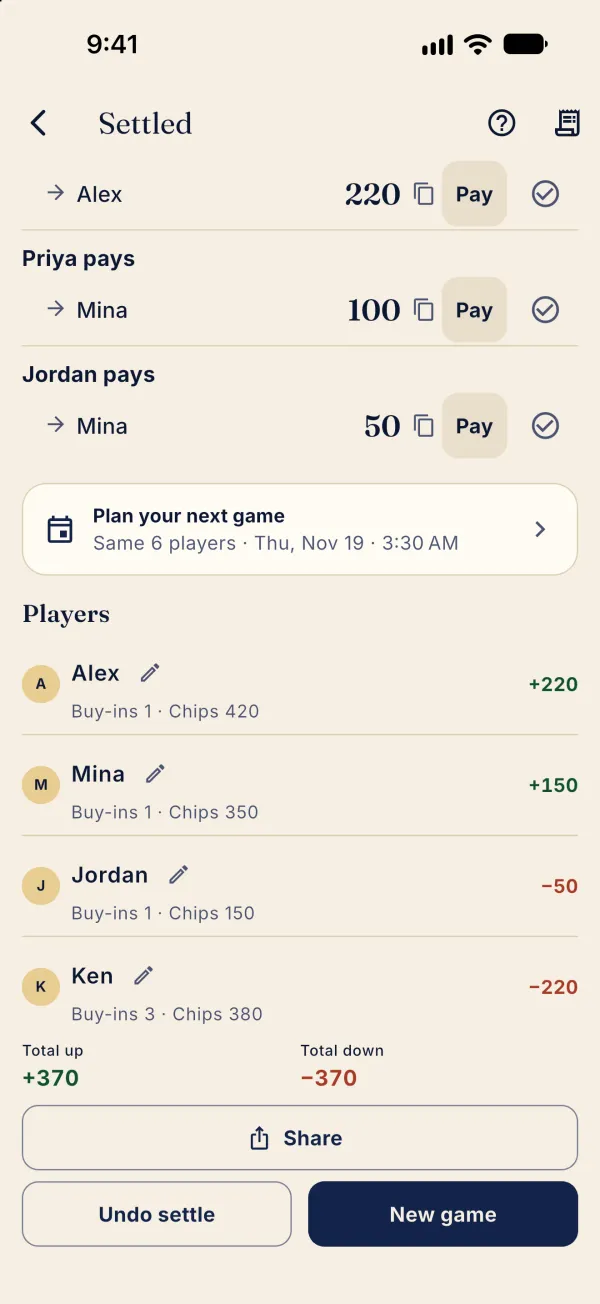
Once chip totals balance, review who owes whom.
Settle and track payments
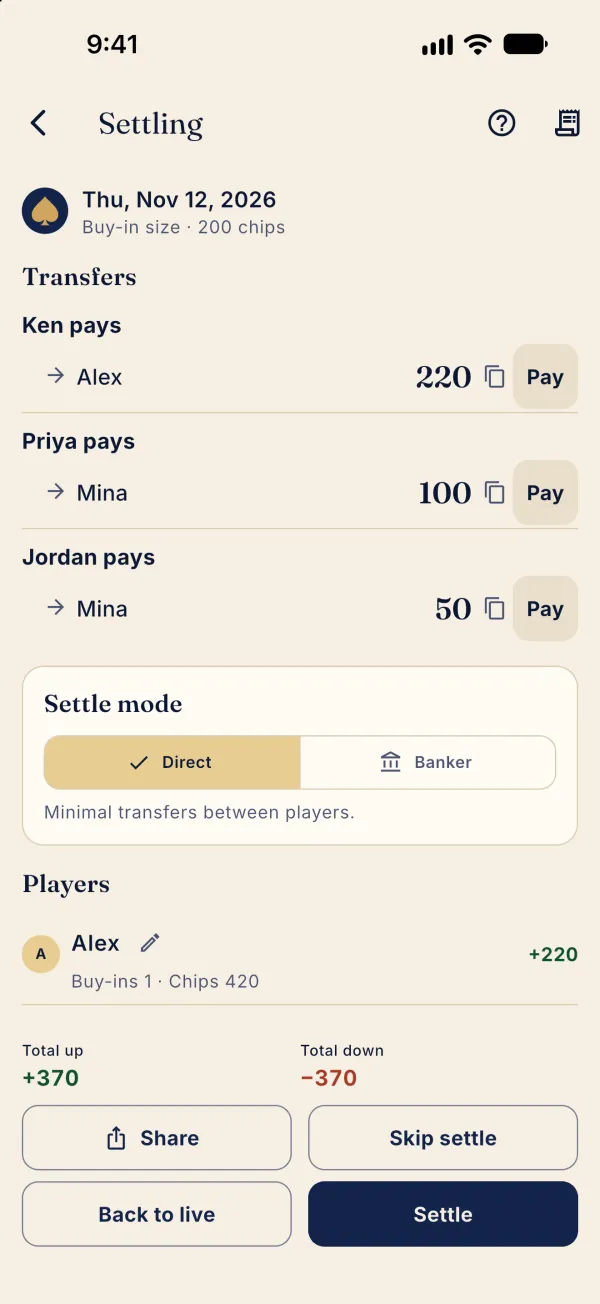
After End game, review Transfers in Settling. Direct minimizes transfers between players.
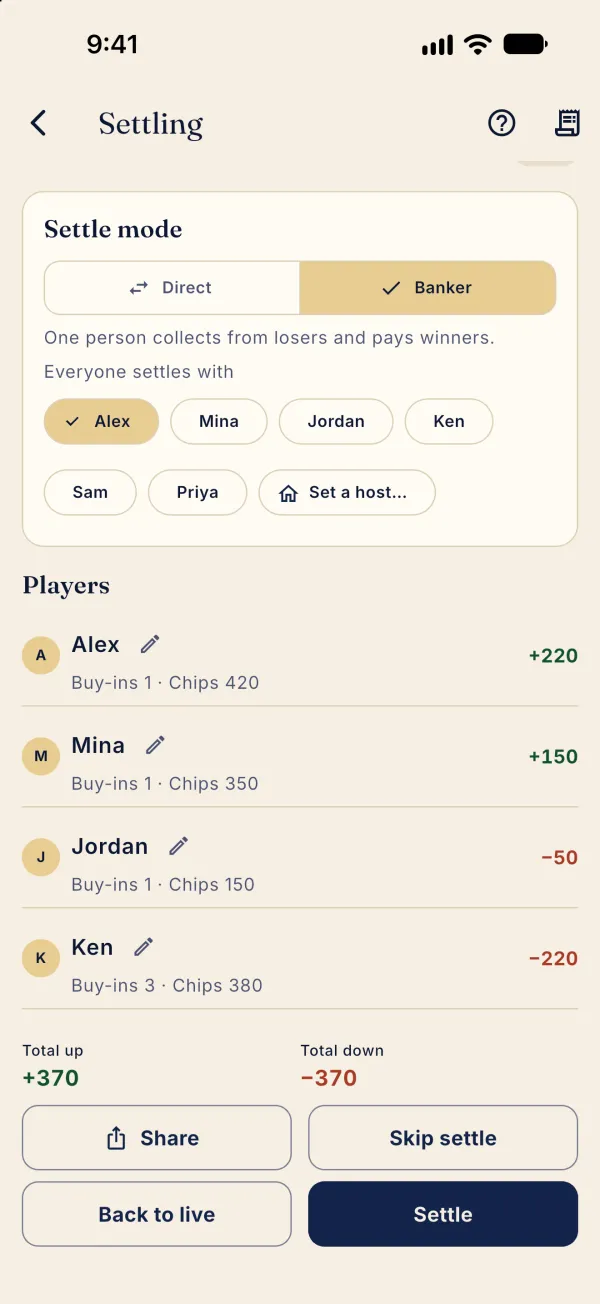
To use one collector, select Banker and choose under Everyone settles with.
For the example shown, switch back to Direct, then tap Settle to save. Players pay each other; the app does not move money.
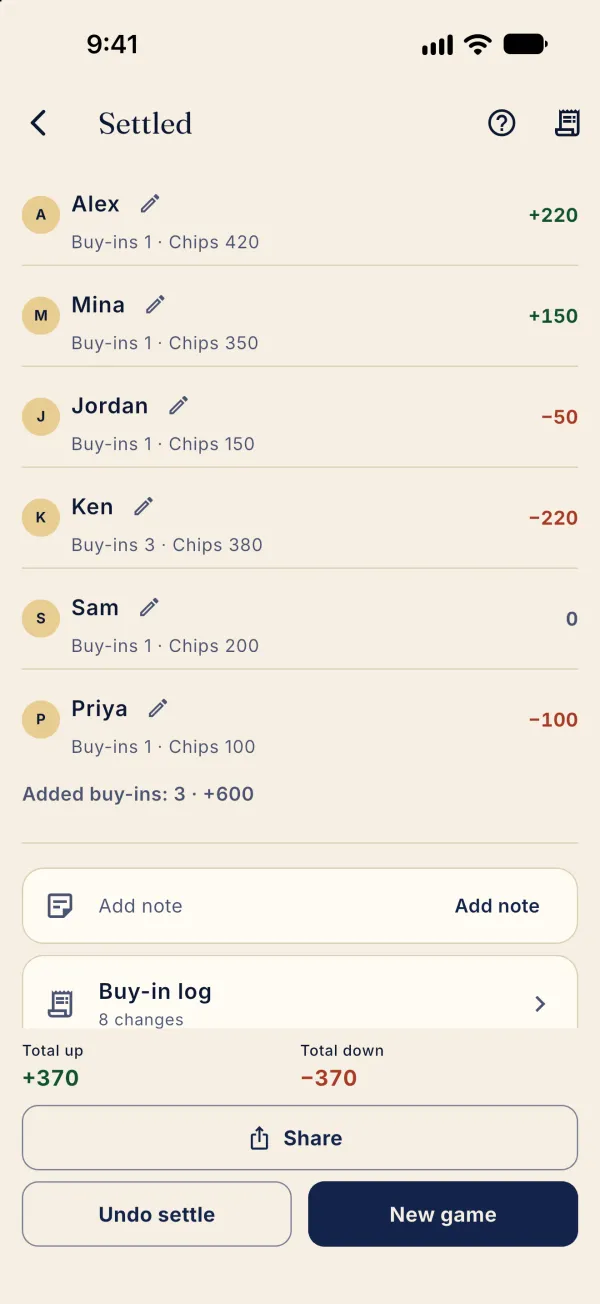
Scroll up to see transfers; after payment, use the check control beside a transfer to mark it paid.